The short answer: if you want to learn piano technique, buy a digital piano with 88 weighted keys and a sustain pedal. If you want to play chords, produce music, or carry an instrument to rehearsals, a portable keyboard is the better tool. The two categories look similar in photos and are often sold side by side, but they are built for different jobs, and the gap between them is mostly in the keys.
A digital piano is designed to feel and respond like an acoustic piano. A keyboard is designed to be light, flexible and full of sounds. Almost every other difference — price, size, pedals, speakers, connections — follows from that one design decision.
The four things that actually differ
Strip away the marketing and the difference comes down to four specifications.
Key action. A digital piano uses a weighted, hammer-style action that resists your finger the way a real piano does, with heavier response toward the low end and a return that lets you repeat notes quickly. A keyboard usually uses a sprung, synth-style action that is light and fast but gives you very little control over dynamics.
Key count. Digital pianos are almost always 88 keys. Keyboards are commonly 61, sometimes 49 or 76, and only occasionally 88.
Pedals. A digital piano has at least a sustain pedal, often a three-pedal unit that also supports soft and sostenuto. A keyboard usually has none, or a socket for a single pedal sold separately.
Sound and speakers. A digital piano prioritizes a small number of realistic piano voices with onboard speakers loud enough to fill a room. A keyboard prioritizes hundreds of sounds, drum kits, effects and connectivity, and may have small speakers or none at all.
Everything else — whether it has a stand, whether it is furniture or a slab, whether it has accompaniment styles — is secondary to those four.
Why key action is the decision that matters
If you practice on a light, unweighted keyboard, you learn to press keys, not to play piano. Weighted keys train the finger strength, control and dynamic range that acoustic repertoire demands. A student who practices exclusively on a synth-action keyboard will usually struggle the first time they sit at an acoustic piano: the keys feel heavy, dynamics feel unpredictable, and passages that were easy become tiring.
That does not make light actions bad. For organ parts, synth leads, bass lines, and anything programmed into a DAW, a light action is faster and less fatiguing. Producers often prefer it. The mistake is buying a keyboard to learn Chopin on, or buying a heavy digital piano to input MIDI parts all day.
Within digital pianos, action quality varies widely. Entry-level models use simplified mechanisms with weights; better models use longer pivots and graded weighting, where the bass keys are heavier than the treble. Graded weighting is worth paying for if the goal is classical study, because it mirrors how an acoustic piano actually feels across the keyboard.
If key action is your main criterion, our overview of digital pianos with weighted keys is the more useful starting point than a general roundup.
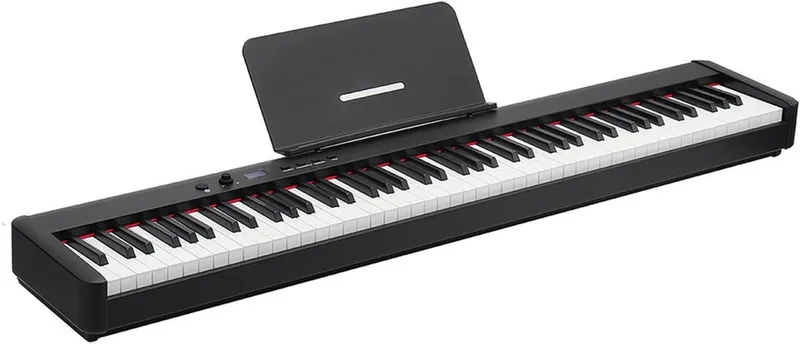
Key count: 61, 76 or 88
Eighty-eight keys gives you the full range of the acoustic instrument, A0 to C8. That matters for classical repertoire, for anything written with wide left-hand spans, and for players who do not want to think about range at all.
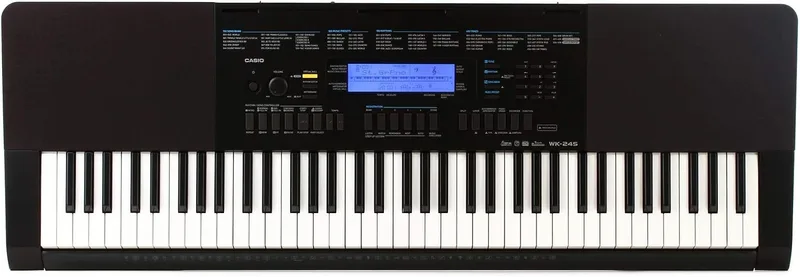
Sixty-one keys covers five octaves, which is enough for most pop, rock and worship playing, plenty of jazz, and nearly all production work. You lose the extremes: the lowest octave and a half where pianists sometimes drop for depth, and the top octave where big arpeggios finish. For a beginner learning chords and songs, 61 keys is not a limitation they will notice for a long time.
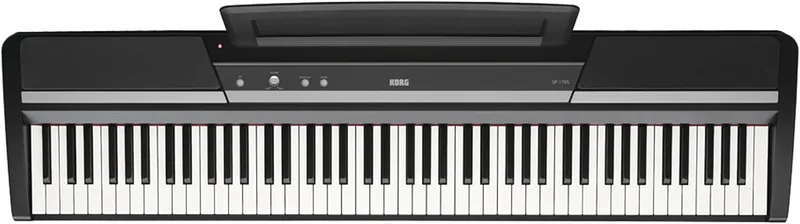
Seventy-six keys is the compromise for players who want most of the range in a lighter instrument. If you gig with a cover band and need piano parts without carrying a slab, that middle ground is genuinely useful.
Our guide to finding the best 88-key digital piano covers the full-range options if that is the requirement.
Pedals: the feature beginners underestimate
The sustain pedal is not an accessory; it is part of playing the instrument. Without it, you cannot play legato chord changes, you cannot shape phrasing the way piano music expects, and most pieces sound clipped and dry.
Almost every digital piano includes a pedal or a pedal jack. Many entry models ship with a simple switch-style pedal that behaves more like an on/off button than a real sustain pedal, which is fine to start but limiting once you work on half-pedaling. Better models include a continuous pedal that responds to how far you press it.
Keyboards frequently have no pedal at all. If you buy one, budget for a sustain pedal and check that the model supports one, because a keyboard with no pedal input is a sketchpad rather than a practice instrument.
Three-pedal units add soft and sostenuto. Soft pedal is nice to have; sostenuto is used in a narrow slice of repertoire and is not a reason to spend more unless a teacher asks for it.
Sound, speakers and the reality of practicing quietly
A digital piano’s job is to sound like a piano in a room. That means a small number of well-sampled or modeled piano voices, a speaker system tuned for a full-range instrument, and a headphone output that does not sound thin. The last point matters more than shoppers expect: many people play with headphones most of the time, and a weak headphone amp makes an otherwise good piano unpleasant.
A keyboard’s job is breadth. Hundreds of sounds, splits and layers, drum kits, arpeggiators, and often USB audio or MIDI over USB for recording. If you intend to write music on a computer, that flexibility is the whole point.
Judging sound from a specification sheet is close to impossible. Piano sound is subjective, and the same sample library can feel responsive or lifeless depending on the action and the amplification behind it. Where possible, play the instrument with headphones you know, or listen to recordings made through the line output rather than the onboard speakers.
If you will practice with headphones, our notes on choosing headphones for piano practice cover the impedance and comfort questions that actually affect long sessions.
Who should buy which
A young beginner starting lessons: a digital piano with 88 weighted keys and a sustain pedal, ideally with a proper stand and bench at the right height. A keyboard will teach the notes but not the touch.
A returning adult player: the same, with attention to action quality and speaker sound. This group tends to notice the difference between a good and a mediocre action immediately.
A teenager who wants to play pop songs and write tracks: a 61-key keyboard with USB MIDI is a better fit and a better use of budget, plus a sustain pedal if they also want to play piano parts.
A gigging player covering multiple instruments: a stage piano or a 76-key keyboard depending on whether piano feel or portability matters more.
A parent buying for a child who may quit in six months: consider a keyboard first only if budget is genuinely tight; otherwise a basic weighted digital piano holds its value better and does not have to be replaced if the child continues.
What to check in the spec sheet
- Key action described as weighted, hammer action, or graded hammer. “Touch-sensitive” alone means velocity sensors, not weight.
- Polyphony. Low polyphony causes notes to cut off when you hold the sustain pedal. It is rarely a problem on current digital pianos, but it is worth checking on inexpensive models.
- Pedal included, and whether it is switch-style or continuous.
- Headphone outputs, and whether there are two.
- Bluetooth MIDI or USB MIDI if you plan to use apps or a DAW.
- Dimensions and weight if the instrument has to fit a specific wall or move regularly.
- Stand and bench included, because a piano at the wrong height teaches bad posture.
Frequently asked questions
Can I learn piano on a keyboard?
You can learn notes, chords and songs, but not piano touch. If lessons and classical or pop piano repertoire are the goal, a weighted 88-key instrument is the correct purchase. A keyboard is a reasonable first instrument for a child who is not yet committed, provided you accept that it is a stepping stone.
Is 61 keys enough for a beginner?
For chords, melodies and most popular music, yes. For piano repertoire written across the full keyboard, no. The limitation shows up once a student starts playing pieces that use the extremes of the instrument, which is usually within the first couple of years of structured lessons.
Do I need 88 keys if I only play at home?
Only if the music you play uses the full range, or if you want the instrument to feel like the acoustic piano you may eventually own. Many home players are happy with 76 keys, but 88 is the safer choice for anyone taking lessons.
Are weighted keys worth the extra cost?
For anyone learning piano technique, yes. The action is the most expensive part of a digital piano and the part that determines whether practice transfers to an acoustic instrument.
Can a digital piano be used as a MIDI controller?
Yes. Most digital pianos send MIDI over USB, and the weighted action makes them good for piano parts in a DAW. They are less convenient for synth and drum programming because the action is heavy and slow compared with a keyboard.
The bottom line
Choose by the keys, not by the feature list. Weighted 88 keys and a sustain pedal make a digital piano a practice instrument; light keys and a broad sound set make a keyboard a flexible tool. Decide which of those two you actually need, then let budget decide the quality within that category. If you are still narrowing the field, our main roundup of the best digital pianos sorts models by player level, and budget is the easiest filter to apply first.